Now available for macOS

Screen recordings that wow

Create professional screen recordings with automatic zoom effects, smooth cursor tracking, and beautiful backgrounds. No editing required.

Download for Mac Free & Open Source
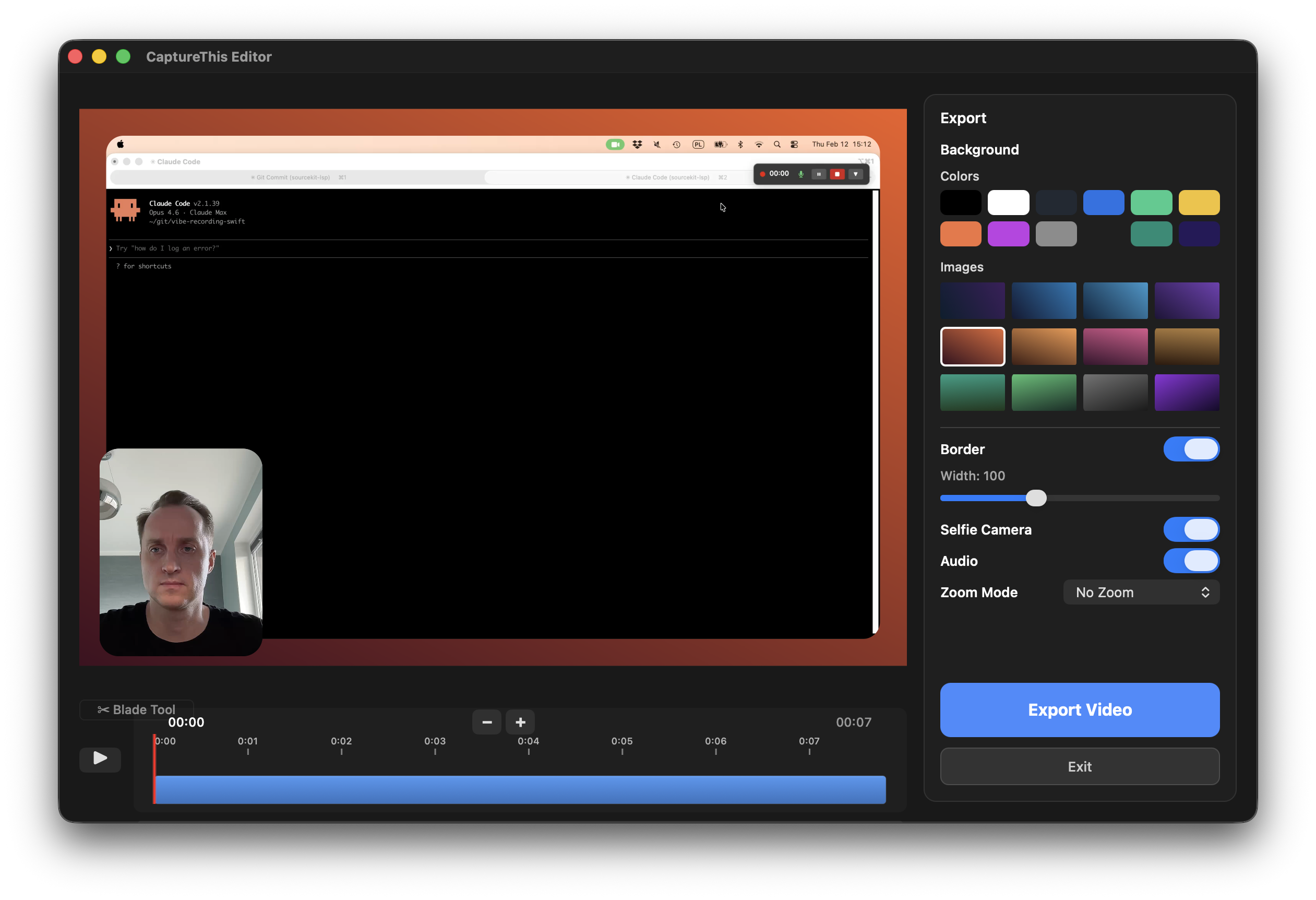
CaptureThis Editor - Screen recording with export options, backgrounds, and selfie camera

Everything you need for stunning demos

Professional features that make your recordings stand out, without the complexity.

Smart Zoom on Clicks

Automatically zooms to where you click, keeping viewers focused on what matters. Smooth animations make every action crystal clear.

Cursor Following

Camera smoothly follows your cursor movements, perfect for tutorials and walkthroughs.

Window Recording

Record any window with a single click. Perfect for focused app demos without distractions.

Selfie Camera

Add a picture-in-picture camera overlay. Drag to position, resize freely. Make it personal.

Custom Backgrounds

Add beautiful gradient backgrounds or custom images. Give your recordings that polished, professional look.

Draw on Screen

Hold Control and drag to draw directly on your screen. Highlight areas, circle UI elements, and guide viewers' attention in real time.

4K at 60fps

Record your entire display at 3840x2160 resolution and silky-smooth 60 frames per second. Every pixel, every detail.

Built-In Editor

A full timeline editor with a blade tool to split, trim, and delete segments. Frame-accurate seeking with real-time preview.

Pause & Resume

Pause your recording at any time and pick up right where you left off. Perfect for collecting your thoughts between takes.

System Audio Capture

Record application audio alongside your microphone. Capture every sound from your apps for complete, professional demos.

Cursor Modes

Choose how your cursor appears in recordings. Use a big pointer for visibility, or click highlights that ripple outward on every click.

GIF Export

Export your recordings as animated GIFs. Perfect for quick demos, documentation, and sharing in places where video isn't supported.

Recordings that look like they took hours to edit

CaptureThis does the heavy lifting. Smart zoom, smooth transitions, and professional polish — all automatic. Just hit record and let the magic happen.

  • High-quality 60fps export
  • Smooth zoom animations
  • System audio capture
  • Native macOS performance

Simple as 1, 2, 3

From recording to sharing in under a minute.

1

Choose your mode

Select zoom on clicks, cursor following, or simple window recording. Pick what works for your content.

2

Hit record

Click the record button and do your thing. CaptureThis tracks your clicks and cursor automatically.

3

Export & share

Preview your recording, customize the background, and export. Your polished video is ready to share.

Ready to create amazing recordings?

Download CaptureThis for free. No account required, no watermarks, no limitations.

Signed & Notarized Open Source macOS 13+